Director Canvas
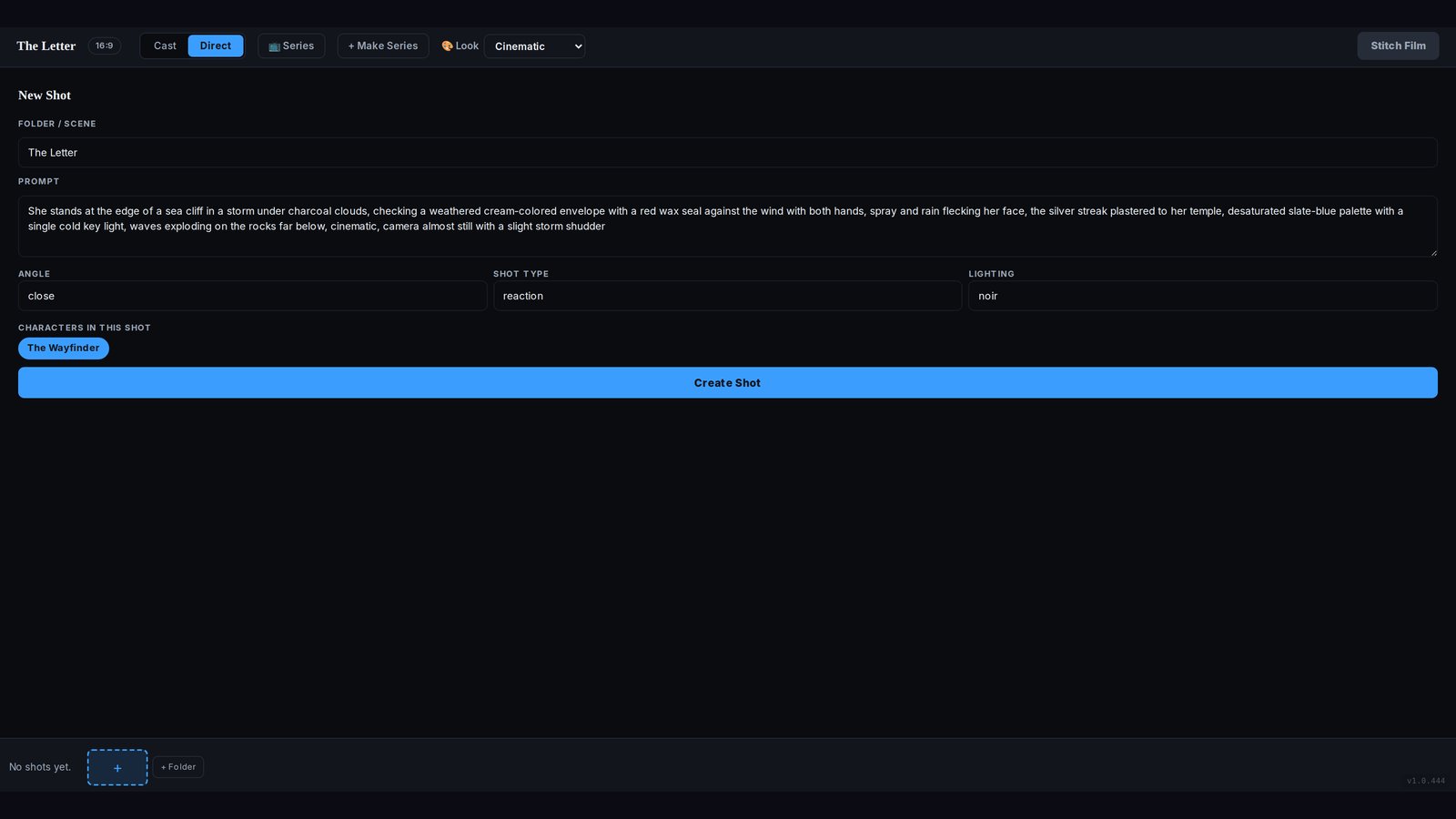
The place you direct. A logline comes apart into shots, and each shot has angle, type, and light before you spend the animation.
Tutorial · 2026
Three parts of the workspace matter: the Director Canvas, the Casting Vault, and the frame you approve before it animates. This is the path through them.
The interface
The place you direct. A logline comes apart into shots, and each shot has angle, type, and light before you spend the animation.
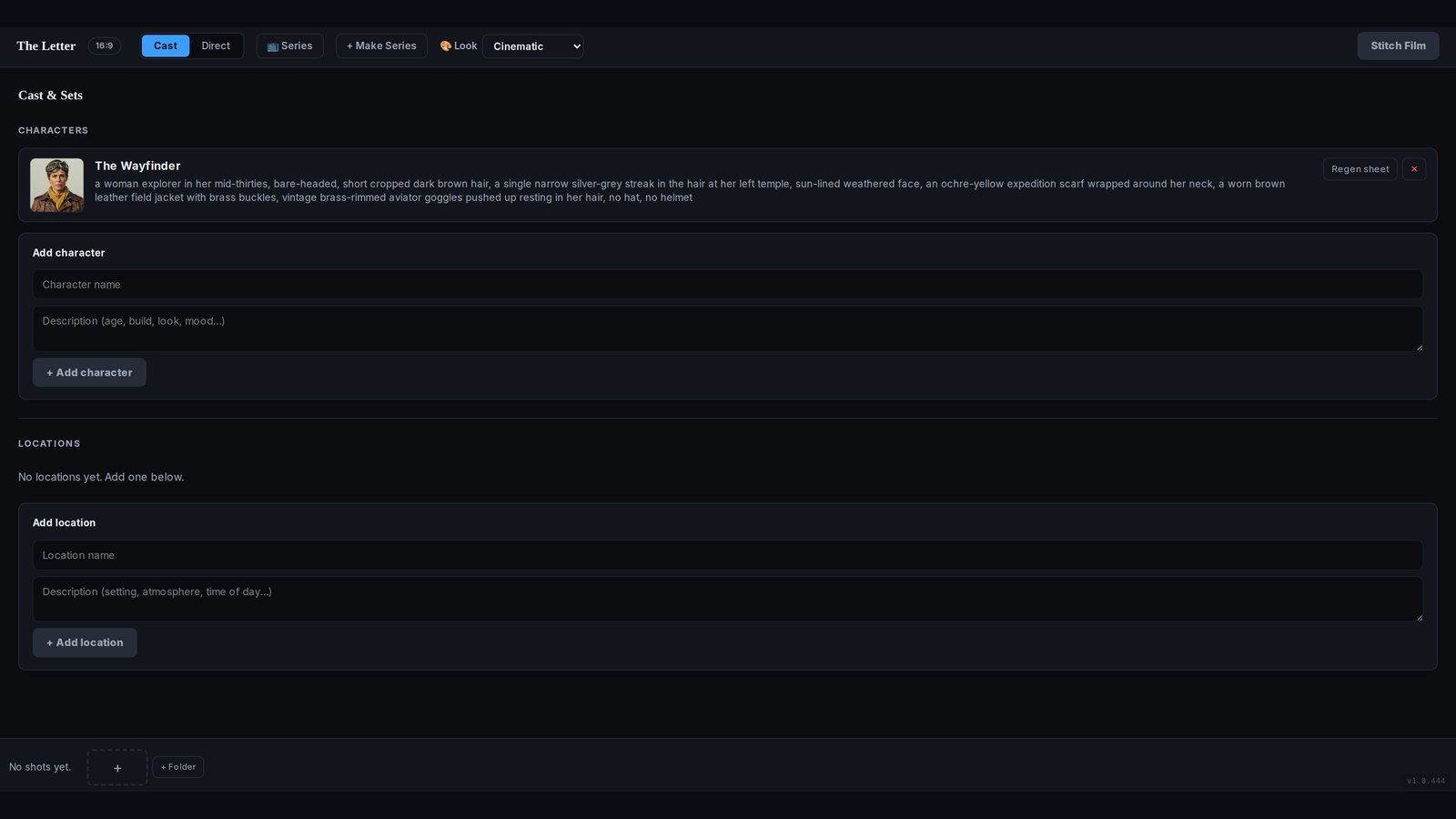
Cast and Sets. Pick or describe a character, keep the reference sheet, and reuse them. The vault on the sales page is 9,500+ images.
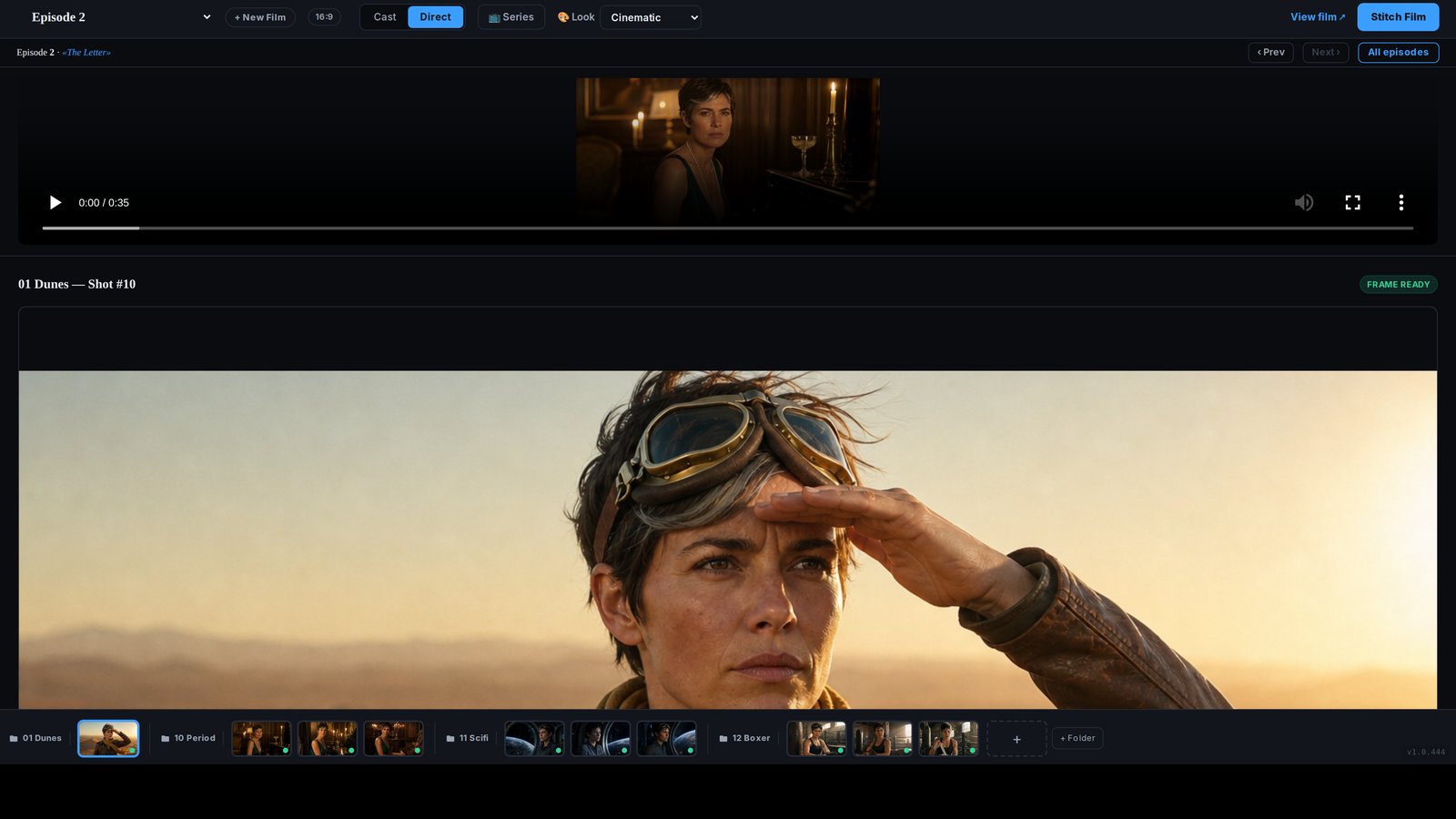
The still sits in the timeline with a FRAME READY mark. That is the gate between a picture and a moving shot.
The order
FAQ
The vendor describes a studio you log into after purchase. This tutorial follows the workspace shown on the public sales page, not a desktop installer.
Regenerate the still. Approve it only when the face, the place, and the light match the shot you asked for.
In Cast and Sets, on the reference sheet. If you skip that and only type a new prompt, you are back to hoping the face matches.