You want a story people can follow, and you do not want to perform it on camera.
For channels
Filmoyo for Content Creators: Build a Faceless Cinematic Channel
You want storytelling videos on YouTube and TikTok. You do not want your face in them, and stock footage looks like every other channel. A locked cast gives the series a face that is not yours.
The problem
Stock clips do not build a character.
Stock footage is cheap to spot. The next video looks unrelated to the last one.
Most AI clip tools redraw the face every time you ask for a new angle.
The solution
Cast the channel once. Use that cast again.
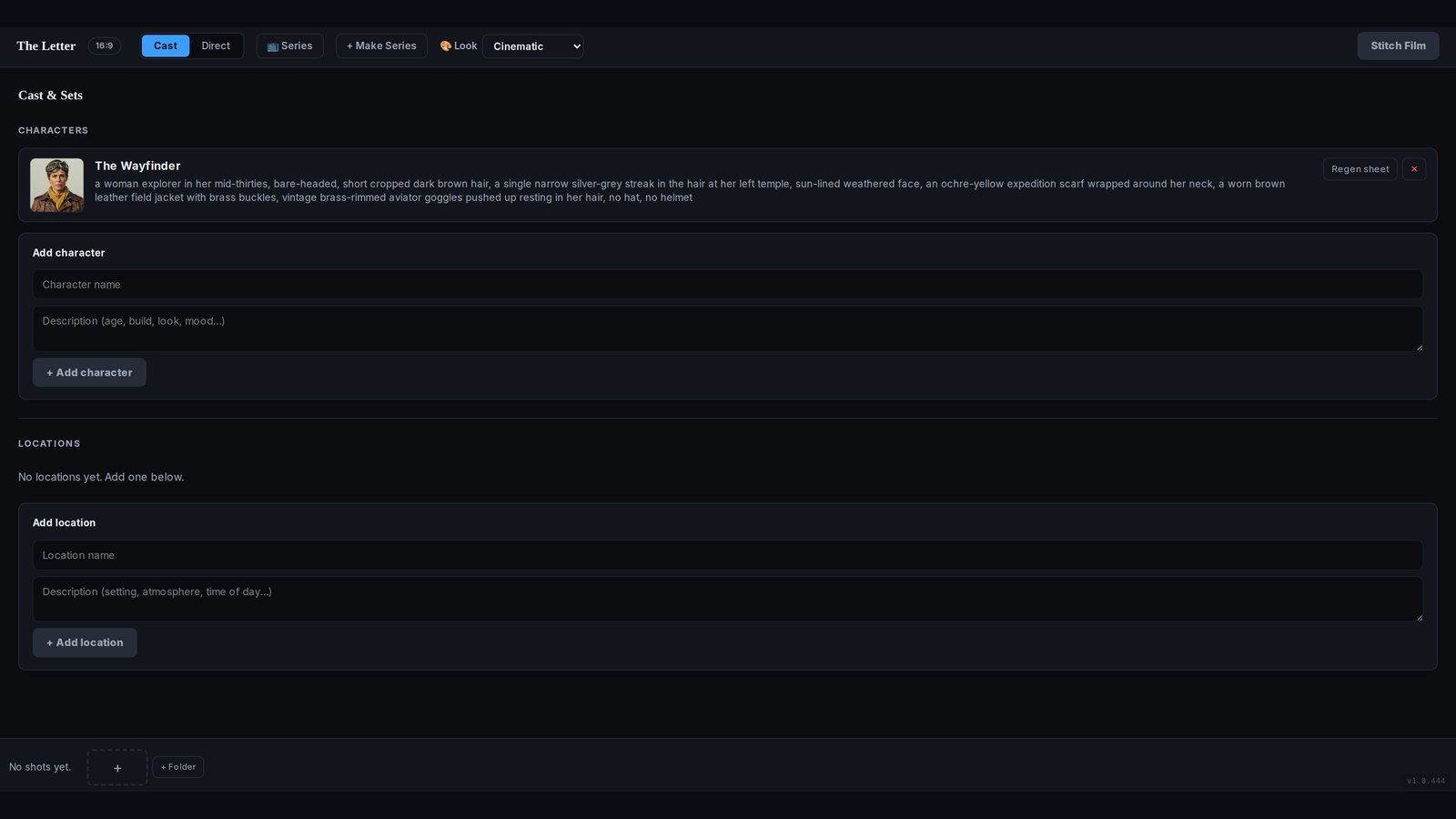
Filmoyo’s casting vault is 9,500+ character images and 1,230 avatars, or you describe someone and build them. Character Lock saves the reference sheet and sends it into every shot, then into the next film. Vertical for a feed, widescreen for a longer cut. The personal studio is $27 once. Views are still yours to earn. The tool does not include them.
A series, not a pile of clips
What a week of posts looks like.
Pick one person in the Casting Vault, or describe them once. That reference sheet is the face of the channel. On the Director’s Canvas, a logline of one or two sentences becomes the shots: a wide shot to open, a closer shot for the turn, a last frame for the ending. You set angle, shot type, and light. Filmoyo renders the still and marks it frame-ready. You approve it, then it animates. Stitch the approved shots, download without a Filmoyo watermark, and post vertical for a feed or widescreen for a longer cut.
The next video starts from the same sheet, not from a new prompt that invents a stranger. That is the difference between a series people can recognize and a folder of unrelated clips. The public demo does this with the Wayfinder: dunes, jungle, snow, and a summit, same jacket, same goggles, same silver streak. Locations can lock the same way, so a set does not wander either.
The personal studio is $27 once, with 600 Core credits and 150 PRO credits in the box. A busy posting week can spend that fuel. Top-ups are optional, and the vendor says those packs are non-refundable. Nothing here includes views. The pricing page is where you decide if you only post your own work or need the $10 commercial add-on.
FAQ
Faceless does not mean random.
Can I post without showing my face?
Yes. The cast is generated. You direct from a sentence and a reference sheet. Your face does not have to be in the film.
Will the same character show up in the next video?
That is what Character Lock is for. Save the reference sheet and use it again. The public demo keeps one explorer recognizable across six places. A vague new prompt, with no lock, will not.
Does this make a video go viral?
No. Filmoyo makes the film. Views on YouTube or TikTok are not part of the purchase. A consistent cast can make a channel recognizable. It cannot promise a crowd.
Which license do I need for my own channel?
Your own channel and your own links are the personal studio, $27 once. If a client pays you for the film, add the $10 commercial license.
Your channel, their face
One cast. More than one video.
Start with the review, confirm the license on the pricing page, and pick up the prompt and storyboard bonuses after you buy.